
Choosing the Best Trading App in India
📈 Discover how to choose the right real trading app in India, learn key features, set up safely, and get tips for smarter trading decisions. 💡📊
Edited By
Sophia Bennett
For traders in India, having a reliable tablet can make a tangible difference in how efficiently you monitor markets and execute trades. A tablet offers portability beyond a laptop while still providing a larger, more detailed display than a mobile phone. When you're dealing with fast-moving stock prices or tracking multiple charts on apps like Zerodha Kite, investing in the right tablet is more than a convenience—it’s almost a necessity.
The ideal trading tablet needs to balance performance, display quality, and connectivity. This is especially true in India's diverse trading environment, where you may need to switch between apps, handle live data streams, and place orders without delay. Slow or laggy devices can cause avoidable losses.
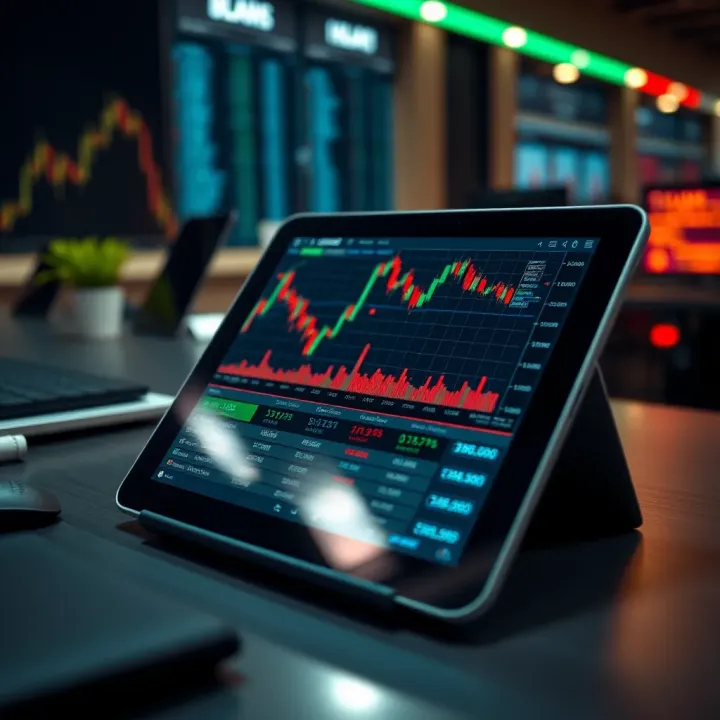
A smooth trading experience depends heavily on fast response times and clear visuals—key reasons to pick a tablet tuned for trading tasks.
In this guide, we focus on features that matter most for traders: screen size and resolution, processor speed, RAM, battery life, and network connectivity options like 4G or Wi-Fi 6. We will also highlight tablets that fit different budgets yet support critical functions such as real-time charts, multiple app instances, and finance news apps.
Understanding these features helps you avoid overspending on flashy extras that don’t enhance trading performance. For example, a tablet with a 10-inch or larger screen can display multiple indicators side by side, which is extremely helpful when tracking swings on the NSE or BSE. Additionally, 4 GB or more RAM and a powerful processor ensure trading apps run smoothly during busy hours.
Before diving into specific models, remember that your tablet should also support Indian payment apps and brokerage platforms seamlessly. Whether you are day trading or managing a diversified portfolio, choosing the right tablet can increase your effectiveness and reduce frustration. This article will help you make an informed decision suited to the demands of Indian trading markets.
Choosing the right tablet for trading involves balancing several factors that directly impact your trading efficiency. Whether you're monitoring prices on the Sensex, placing trades through Zerodha or Upstox, or analysing complex charts on platforms like Kite or Groww, key features such as display quality, processing power, battery life, connectivity, and security must align with your trading needs.
Screen resolution determines how sharp and clear the charts and numbers appear. High resolution, such as Full HD (1920x1080) or better, allows you to view intricate candlestick patterns and technical indicators without straining your eyes. For example, a tablet with an HD display may blur small text or figures, making quick decisions harder during market volatility.
Touch responsiveness is vital in trading, especially for day traders who execute orders swiftly. A laggy or unresponsive touchscreen can cause missed opportunities or errors. Tablets with capacitive multi-touch screens, like the Apple iPad or Samsung Galaxy Tab series, respond instantly to gestures, enabling smooth navigation of trading apps.
Ideal screen size for trading apps generally falls between 10 to 12 inches. This size strikes a balance—large enough to display detailed layouts and multiple charts, yet compact enough to carry around. For instance, a 10.5-inch screen comfortably accommodates multi-window usage, allowing you to track market news and portfolio simultaneously.
Your tablet's CPU and RAM set the tone for how well trading apps run. Trading platforms can be resource-heavy, especially those streaming live data and performing real-time calculations. Aim for a minimum of an octa-core processor with at least 4GB RAM to avoid lag during busy market hours.
Smooth multitasking helps when switching between apps like market news, trading platforms, and messaging services without delay. Tablets offering at least 6GB RAM with efficient processors handle multiple apps concurrently without slowing down. This is crucial when you monitor multiple stocks or commodities across apps.
Running trading platforms effectively demands that the device supports the latest app versions, handles real-time data feeds without freezing, and provides quick order execution. For example, platforms such as NSE’s Kite or BSE’s mobile app require stable hardware to avoid crashes during peak trading periods.
Long battery performance for market hours means your tablet should comfortably last through a full trading session, often 6-8 hours, without needing a recharge. Tablets with batteries in the range of 7,000-10,000 mAh suffice, so you can trade in offices, cafés, or while commuting without worries.
Lightweight design for mobility matters for traders on the move. Heavy or bulky tablets become a burden, especially for daily commuters or those visiting clients. Devices weighing around 450-600 grams strike a good balance of portability and screen space.
4G/5G support ensures you stay connected when Wi-Fi isn't available, such as at railway stations or during business trips. With instant market movements, having cellular connectivity reduces dependence on public networks and avoids disruptions.
Wi-Fi stability remains important during extended trading hours at home or office. Look for tablets supporting dual-band Wi-Fi (2.4GHz and 5GHz) to maintain steady, faster connections essential for real-time updates.
Bluetooth peripherals compatibility helps connect keyboards for faster order entry or stylus pens for chart annotations. Tablets compatible with popular Bluetooth devices improve overall trading workflow and ease.
Android vs iOS vs Windows—each platform offers trade-offs. iOS devices like iPad provide smooth performance and early access to updates but are pricier. Android tablets cover a broader price range with wider app availability, but experience varies by brand. Windows tablets offer desktop-style trading software compatibility but may compromise portability.
Access to popular trading apps used in India is key. Ensure your tablet supports apps like Zerodha Kite, Upstox, Groww, Angel Broking, and others. Compatibility guarantees that you can manage orders, track portfolios, and access research without hitches.
Biometric authentication such as fingerprint or face unlock adds a layer of safety, keeping your trading account protected from unauthorised access. Given the sensitive nature of financial transactions, quick yet secure unlocking methods are convenient.
Data encryption safeguards your personal and financial data stored on the tablet or during online trades. This prevents hackers or malicious software from stealing information, especially on public networks.
Secure trading is not just about passwords but also device-level protection to avoid breaches that can cost lakhs in losses.
Importance for financial transactions cannot be overstated. Tablets with built-in security chips, regular software updates, and secure boot processes reduce risks of fraud, phishing, and identity theft.
A well-chosen tablet will blend these features to provide you with speed, reliability, and security for your trading needs in India’s dynamic stock markets.
Choosing the right tablet for trading means balancing power, portability, and affordability. This section highlights some of the best tablets available in India suited for traders, from premium to budget-friendly options. Each offers specific advantages that cater to different trading needs, whether you require high-end performance or want a device that covers the basics efficiently.
Apple iPad Pro is frequently the first choice for professional traders. The iPad Pro’s Liquid Retina display delivers vibrant colours and sharp graphics which help when analysing detailed charts and candlestick patterns. Its powerful M1/M2 chip ensures smooth multitasking, so running multiple trading platforms together doesn’t slow down your device. Plus, the tight integration with iOS means apps like Zerodha Kite, Upstox, and Groww perform seamlessly, offering quick data refresh and reliable execution.
Samsung Galaxy Tab S8 offers an excellent rival to the iPad Pro, especially for Android loyalists. This tablet features a 120Hz AMOLED screen, which reduces eye strain during long trading hours and provides crisp visuals important for watching market trends. The Snapdragon 8 Gen 1 processor supports heavy apps without lag, while Samsung DeX mode turns your tablet into a PC-like experience, useful when handling complex spreadsheets or multiple browser tabs.
Microsoft Surface Pro blurs the line between tablet and laptop, running a full Windows OS. This works well if you rely on desktop-level trading software that’s unavailable on mobile platforms. Powerful Intel processors and versatile accessories like detachable keyboards make it ideal for traders who want portability without compromising desktop software compatibility. However, keep in mind its higher price and slightly bulkier form compared to typical tablets.
The Samsung Galaxy Tab A Series brings reliable performance and a friendly price tag. It may lack premium processor power, but its bright display and good battery life satisfy casual traders who mainly work with mobile apps. It’s also widely available in India, making after-sales support easier.
Lenovo Tab P11 stands out with a decent 11-inch display and a stable Snapdragon chipset, offering a balanced experience for traders wanting a bit more punch without spending a fortune. Its AI-enhanced audio and video features can be handy for attending webinars or market update sessions.
Realme Pad delivers surprising value with a solid build and competent performance for basic trading needs. It runs Android smoothly and supports common trading applications used in India. Its affordability suits beginner traders or students who want a tablet for both learning and trading.
Amazon Fire HD 10 is a popular choice for those starting out in the trading world on a tight budget. While it runs on Fire OS, a fork of Android, it supports many popular Indian trading apps through the Amazon Appstore or sideloading. Its bright 10.1-inch screen offers enough clarity for chart reading, but the device may struggle with heavy multitasking.
Lava Tab tablets provide acceptable performance within a compact size, targeting users entering trading who need basic app support and good battery life. While not loaded with features, they cover fundamental needs and come with service centres in many tier-2 and tier-3 cities.
Micromax Pad targets entry-level traders with essential features and India's trusted brand backing. The tablet runs stock Android, ensuring compatibility with a wide range of apps, including leading stock platforms. Although limited in processing power, it suits users trading on the go without overloading the device.
Choosing the right tablet depends on your trading style, budget, and app preferences. Premium options cater to heavy users needing multitasking and advanced graphics, whereas mid-range and budget models work well for entry-level and casual traders without making a big dent in the wallet.
Setting up your tablet properly is a must for smooth trading activity, especially when every second counts in stock markets. Configuring trading apps, tweaking device settings, and securing your data impact your efficiency more than you might expect. A tablet that’s ready for trading keeps you connected, responsive, and safe during market hours.
India offers several popular trading platforms that cater to diverse investor needs. Apps like Zerodha Kite, Upstox Pro, Angel Broking, and Groww are widely used among Indian traders for their user-friendly interfaces and robust features. These platforms allow real-time access to market data, chart analysis tools, and instant order placements, all essential for day traders and investors.
Downloading these apps from trusted sources like Google Play Store for Android or the Apple App Store for iPads ensures you get secure and updated versions. Avoid downloading APK files from unknown websites as they may pose security risks. After installation, customise app settings such as alert notifications and watchlists to match your trading style. For instance, setting price alerts on specific stocks saves time and helps catch opportunities swiftly.
Managing notifications efficiently prevents unnecessary distractions during market activity. You can prioritise alerts from your trading app while muting less important notifications like social media or emails. Many tablets offer ‘Do Not Disturb’ modes that allow customised exceptions, so you stay focused when the market is volatile.
Battery life is crucial when you’re glued to the tablet during long trading sessions or attending to markets across timezones. Adjust brightness, switch off unused connectivity like Bluetooth if not required, and close background apps to extend battery performance. A portable power bank is also handy for traders on the move.
Connectivity often decides your game's outcome in trading. A stable Wi-Fi connection coupled with 4G or 5G backup helps maintain uninterrupted access to market feeds. Also, enabling Bluetooth simplicity for peripherals like keyboards or stylus pens enhances your trading ease.
Using cloud backups ensures that your trading data and app settings stay safe even if your tablet malfunctions or gets lost. Services like Google Drive or iCloud automatically sync important data, meaning you can quickly restore your setup on a new device without hassle.
Securing trading accounts with strong, unique passwords and enabling two-factor authentication adds crucial layers of protection against unauthorised access. Since trading involves financial transactions and sensitive data, it’s wise to avoid public Wi-Fi networks without VPN protection.
Regular software updates keep your tablet and apps secure from vulnerabilities. These updates often bring bug fixes and performance enhancements that directly affect trading app stability. Setting your device to update automatically outside market hours ensures you don’t miss trading opportunities.
A well-set-up tablet is your ally in day trading—fast, secure, and reliable. Paying attention to app installation, device optimisation, and data safety will help you trade confidently in India’s fast-changing markets.
Optimising your tablet for trading goes beyond just picking the right device. Small tweaks and smart usage habits can have a big impact on your trading efficiency and accuracy. These tips help you navigate market data swiftly, manage multiple platforms, and stay alert without getting overwhelmed.
App switching techniques: Traders often use multiple platforms like Zerodha Kite, Upstox Pro, or Groww simultaneously. Quickly switching between these apps without losing your place can save precious time. Most tablets allow fast app switching via gestures or recent app buttons. For instance, a quick swipe up and hold on an Android tablet brings up the list of open apps which you can tap to switch instantly. Getting comfortable with these gestures prevents delays that might cause missing trade opportunities.
Split-screen usage: Split-screen mode enables running two apps side by side, which is a practical feature for comparing stock charts or tracking news while placing orders. On tablets like Samsung Galaxy Tab or iPad Air, you can drag apps to the side and adjust their size for better visibility. This setup reduces toggling hassles, helping you react faster during volatile market hours.
Bluetooth keyboards and stylus pens: Using a Bluetooth keyboard speeds up input tasks like entering stock codes, creating notes, or chatting on trading forums. For example, typing on the Logitech K380 paired with a tablet feels much faster than on-screen keyboards. Meanwhile, a stylus pen like Apple Pencil or Samsung S Pen helps with precise chart analysis and marking key points on graphs. These accessories enhance accuracy and comfort during long trading sessions.
Portable stands and screen protectors: Portable stands position your tablet at a comfortable viewing angle, reducing neck strain during extended use. Traders who need to carry tablets between home and office find these stands indispensable for setting up quick, ergonomic workstations. Screen protectors safeguard against scratches while reducing glare under bright lights, keeping visuals sharp — crucial when analysing intricate candlestick patterns.
Setting customised alerts: Markets move fast; customised alerts on price thresholds, volume changes, or news updates keep you updated without constant monitoring. Apps like Zerodha allow setting personalised notifications that pop up immediately on your tablet. This practice ensures you act promptly on key movements, improving decision-making.
Tailoring alerts to your trading strategy allows you to focus on relevant data and ignore noise.
Avoiding distractions: While alerts keep you informed, too many notifications can interrupt concentration. Configure your tablet to allow only essential alerts during active trading hours and mute non-critical notifications like social media or emails. Features like Do Not Disturb mode or Focus mode on Android and iOS tablets proved useful to keep distractions at bay and maintain trading discipline.
Adopting these tips maximises your tablet’s potential, making trading smoother and more productive amid India’s dynamic market environment.
📈 Discover how to choose the right real trading app in India, learn key features, set up safely, and get tips for smarter trading decisions. 💡📊
🔍 Curious if Quotex trading is legal in India? Learn about current regulations, trading types, risks, and how to trade safely in this detailed guide.
⏰ Discover Quotex trading hours for India 🇮🇳, learn how time zones impact your trades, and get tips to time your market moves effectively! 📈
Learn how to pick and use real trading platforms in India 🇮🇳. Get tips on security, features, and safe trading to boost your confidence and success 📈.
Based on 14 reviews