
Best Trading Platforms Worldwide: A Guide for Indian Investors
Discover how to pick the best trading platform globally 🌍. Compare features, costs, security, and support tailored for Indian investors 💹₹ safely and confidently.
Edited By
James Hargrove
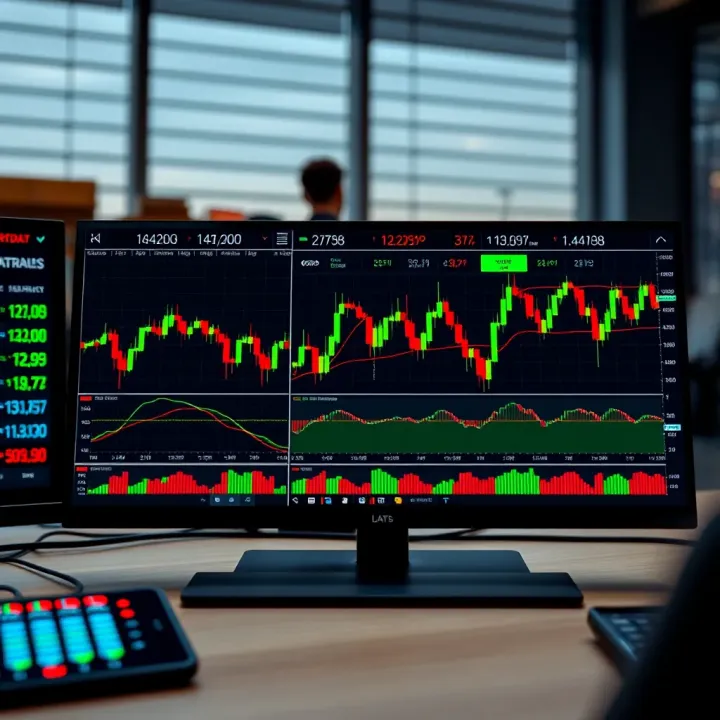
Trading actively means dealing with tons of information at once. A four-monitor trading station lets you watch several stock charts, market news, order books, and trading platforms simultaneously. This setup cuts down on switching tabs and windows, helping you react faster and make smarter decisions.
In India, where markets like NSE and BSE move swiftly, having multiple screens is a real advantage. You can keep an eye on indices like the Sensex and Nifty 50, track currency pairs such as USD/INR, monitor derivatives data, and run your technical analysis tools all at once.
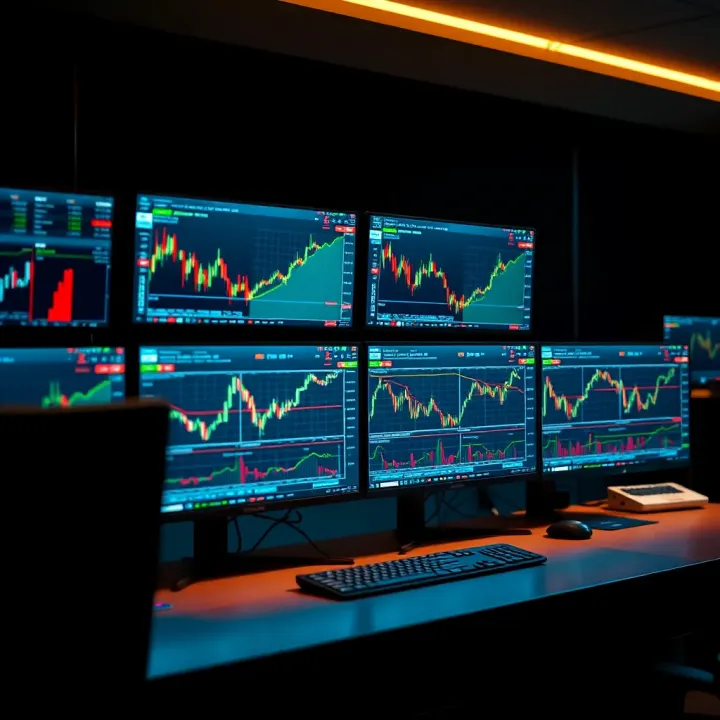
Setting up four monitors isn’t merely about buying extra screens. Choosing the right display size, resolution, and connectors is key. Then comes arranging the monitors ergonomically to ease eye strain and neck pain during long trading sessions.
A well-planned multi-monitor trading station helps speed up your workflow and reduces costly mistakes by offering a clear, panoramic view of the market.
This guide walks you through planning your trading station to suit active traders in India, picking the gear wisely, arranging your workspace effectively, and matching your software to the hardware for smooth performance. Whether you trade equities, commodities, or currencies, this practical approach arms you to handle market data without looking like a juggler.
Traders today face the challenge of processing vast amounts of information quickly. A four-monitor setup dramatically improves market visibility, allowing you to track multiple data points and charts simultaneously without constantly switching tabs. For instance, you can keep live price feeds on one screen, technical indicators on another, news updates on the third, and your trading platform on the fourth. This broad overview sharpens decision-making by reducing delays caused by window toggling.
With four screens, you avoid the common issue of information bottlenecks. Imagine monitoring the Nifty 50, the Sensex, and foreign indices like the Dow Jones all at once. By having these live side-by-side, you get a clearer picture of market trends and can respond faster. It also helps to spot correlations or divergences across markets, aiding smarter predictions. For intraday traders, catching small-market shifts quickly often makes the difference between profit and loss.
Separating trading tools across multiple displays streamlines workflow. You can dedicate one monitor to charting software like TradingView, another to order execution platforms such as Zerodha Kite or Upstox, and yet another to news platforms like Bloomberg Quint or Moneycontrol. This setup reduces clutter and confusion, letting you focus on the task at hand rather than juggling windows. Plus, it allows for better use of specialised tools like option chains, level 2 market depth data, and technical indicators without overlap.
Speed is vital in trading, and multiple monitors boost it significantly. By distributing tasks, traders avoid fumbling between screens, reducing the time lag in placing orders or modifying trades. This setup works well during high-volatility periods like budget announcements or RBI policy updates, where every second counts. Furthermore, a four-monitor rig can handle multiple trading strategies simultaneously, enabling active traders to diversify their approach without losing control or clarity.
A multi-monitor station isn't just about extra screens; it's about gaining a strategic edge through better organisation, faster execution, and comprehensive market awareness.
In India’s highly active trading environment, especially with the growth of retail participation, setting up four monitors has become a practical way to stay competitive and efficient. It empowers traders to harness real-time data effectively, enhancing confidence and control over their trading decisions.
Selecting the appropriate monitors and accessories is a vital step in setting up a four-monitor trading station. The right equipment not only enhances your ability to monitor multiple markets simultaneously but also ensures smoother operations during fast-paced trading sessions. Poor choices here can lead to eye strain, delayed responses, or technical issues that disrupt your analysis or trades.
Screen size directly affects how much data you can view without excessive scrolling or window switching. For trading, monitors ranging from 24 to 27 inches usually strike a good balance between workspace and desk footprint. Larger screens can show more charts, order books, or news feeds at the same time, but may demand greater desk space.
Resolution is equally crucial. A Full HD (1920x1080) display is the basic minimum. However, a Quad HD (2560x1440) resolution offers sharper images and more screen real estate, which helps when juggling multiple windows. For example, traders often keep multiple chart windows open; higher resolution means clearer lines and finer data detail.
A higher refresh rate means the screen updates images more frequently, measured in hertz (Hz). While gaming monitors boast 120 Hz or more, for trading, a 60 Hz refresh rate is generally adequate. However, if you frequently watch live feeds or flickering charts, a 75 Hz panel can make movement smoother.
Response time is the delay for a pixel to change colour, measured in milliseconds (ms). A lower response time (around 5 ms or less) reduces ghosting effects, which can be distracting during quick chart movements or rapid price fluctuations. Even though trading is not gaming, better response time helps monitor fast data shifts cleanly.
The most common panel types are TN, IPS, and VA. TN (Twisted Nematic) panels are cheaper but have poor colour reproduction and narrow viewing angles. IPS (In-Plane Switching) panels offer superior colour accuracy and wider viewing angles, making them preferable when traders compare different indicators or charts side by side.
Colour accuracy ensures the charts and indicators display the intended colours, reducing misinterpretation risk. For instance, green and red candlesticks must be distinct to avoid mistakes. Hence, prioritise IPS panels with good colour reproduction for your trading monitors.
Your graphic card must support multiple monitors simultaneously. For a four-monitor setup, check whether it has enough ports (HDMI, DisplayPort, or DVI) and the maximum number of displays it can drive at once. Some mid-range cards in India may support only two or three monitors, so plan accordingly.
For example, Nvidia’s GeForce GTX and AMD’s Radeon series offer models supporting four or more monitors. Verify that your card can handle the combined resolutions and refresh rates of all screens to avoid sluggishness during market hours.
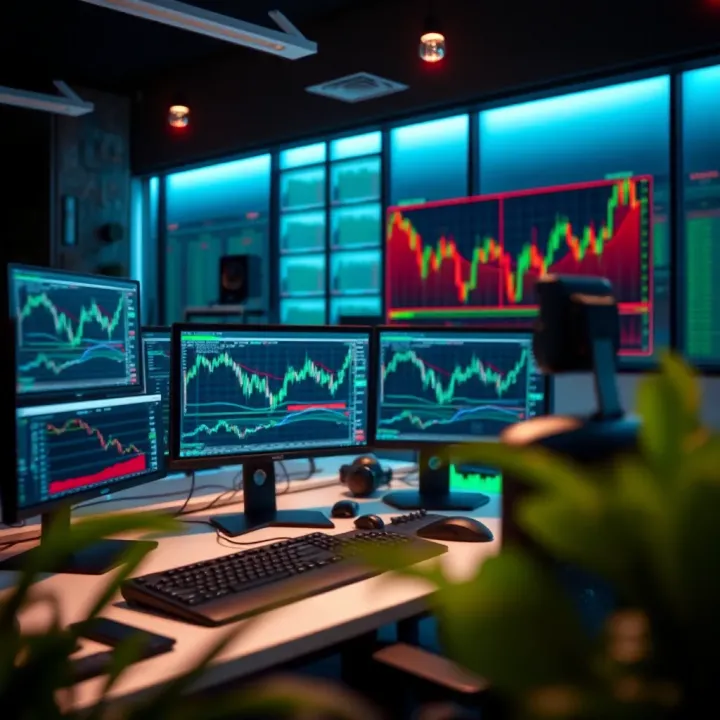
DisplayPort and HDMI are common connection types. DisplayPort generally supports higher resolutions and refresh rates than HDMI 1.4, especially in multi-monitor daisy-chaining setups. For instance, DisplayPort 1.2 can support 4K resolution at 60 Hz, while older HDMI versions may not.
When possible, use DisplayPort for smoother performance and better multi-monitor support. HDMI is still widespread and compatible, but ensure your monitors and graphics card use matching standards to avoid signal loss.
Beyond ports, your computer and OS must handle multiple displays seamlessly. Windows 10 and later handle extended desktops well, but older systems may struggle or limit configurations. Also, ensure your graphic card drivers are up to date.
Certain graphic cards include software to customise layouts, resolutions, and refresh rates individually for each monitor. This management is essential to fine-tune your workspace according to personal trading preferences.
Using desk mounts or adjustable stands saves space and helps align monitors at the correct height and angle. This prevents neck and eye strain during long trading sessions. A four-arm desk mount allows separate adjustment of each screen, offering maximum flexibility.
Companies like Amazon India and local tech retailers offer affordable multi-monitor mounts suitable for Indian traders. Ensure your desk can support the mount’s weight and size before purchasing.
Trading often involves many consecutive hours looking at screens. Ergonomics reduce fatigue and enhance focus. Positioning monitors so the top edge aligns with your eye level keeps your neck neutral.
Anti-glare screens or matte finishes lower eye strain from reflections, especially in offices with overhead LED lighting or big windows. Combining an ergonomic chair with adjustable monitor height complements the setup for healthier posture.
Investing in suitable monitors and accessories tailored for multi-screen trading can drastically improve your efficiency and reduce physical strain. This upfront effort pays off by giving you a smoother, more comfortable trading environment.
Setting up a four-monitor configuration is a vital step for traders aiming to handle vast amounts of market data and trading platforms without switching windows repeatedly. An efficient layout not only improves access to information but also reduces the chances of missing critical market movements. When properly configured, multiple screens allow a clear division of tasks such as watching live charts, news feeds, order books, and analytics software simultaneously.
The grid layout arranges four monitors in a 2x2 square. This setup offers a balanced view where each screen gets similar attention. It's especially useful when you want to track different market segments alongside indicators or watchlists. For example, in an equities trading room, this layout lets you keep Nifty 50 charts on one monitor, sector-wise stocks on another, news on the third, and your trading platform on the fourth.
A horizontal spread places four monitors side-by-side in a row. This layout suits traders who prefer scanning trends linearly or use widescreen display capabilities. The wide field lets you track intraday charts alongside open positions flanked by short-term news tickers. You may feel neck strain if the setup stretches too far, but a monitor size of about 24–27 inches helps maintain comfort. This is common among day traders who watch multiple timeframes across a single market.
Stacked layout stacks two monitors on top of another pair, saving desk space vertically. It's handy if your workspace is narrow but tall. The top displays can feature long-term charts or analysis apps, while the lower ones house real-time trading platforms or communications. This layout prevents neck twisting since the top monitors lie within your natural upward gaze zone, but ensure your chair height and monitor mounts match comfortably to avoid strain during long hours.
Windows allows you to detect all connected monitors under Display Settings and drag their icons to match the physical arrangement on your desk. Setting this correctly helps your mouse cursor flow naturally across screens. A mismatch between physical and configured layout causes frustrating navigation delays which slow down critical trade decisions. For instance, dragging a chart from one screen to another is smoother when the software matches your actual monitor setup.
Each monitor may have different resolutions. Windows lets you adjust the individual resolution and scale so fonts and icons remain readable, avoiding excessive eye strain. For example, high-resolution QHD or 4K screens may require 125–150% scaling, while Full HD monitors can stay at 100%. Balancing this ensures consistent text size and interface elements across all displays.
Your primary screen acts as the main workspace where taskbar and alerts appear. Ideally, assign your most-used trading platform to the primary display for focus. Secondary screens serve monitoring or supplementary tools like news or chat windows. Changing the primary screen is straightforward but influences workflow fluidity, so experiment with arrangements until you find what suits your style and speed best.
Using four monitors means handling multiple trading platforms and data sources in parallel. Arrange platforms categorically—one for equity markets, another for derivatives, a third for forex or commodities, and the fourth for portfolio tracking or research. Tools like MultiMonitorTool or Windows Snap Groups help snap windows cleanly into place so you can switch tasks in a flash. Traders often run software for real-time quotes, charting, and news aggregation simultaneously, so a clutter-free visual hierarchy reduces errors and improves response time.
A well-set multi-monitor configuration cuts down on time lost toggling between windows, giving you a sharper edge in volatile markets where every second counts.
Optimise this setup progressively; start with simple layouts and scale up complexity as you get comfortable handling many streams of information effortlessly. This foundation helps leverage the full advantage of a four-monitor trading station.
A four-monitor setup demands more than just the right screens and graphic cards. To keep trading sharp and avoid discomfort, optimising your workspace for comfort and efficiency is key. This means focusing on seating, desk setup, cable management, power safety, and lighting—all tailored to your trading style. A fine-tuned workspace not only improves productivity but also reduces the strain that comes with long market hours.
Choosing a chair with good lumbar support prevents back pain during extended trading sessions. Many chairs in the Indian market now come with adjustable features, allowing you to fit them to your posture and desk height. For instance, an adjustable chair from brands like Featherlite or Godrej can be set so your feet rest flat on the ground, your knees are at a 90-degree angle, and your back is well supported. Changing the chair height throughout the day also helps reduce stiffness.
Your desk should complement your chair height to maintain a comfortable arm and wrist position. The desk height ideally lets your forearms rest parallel to the floor when typing or using a mouse. For monitors, position the top of the screen at or slightly below eye level to avoid neck strain. Maintaining a distance of about 50-70 cm between your eyes and screens ensures comfortable viewing. In busy Indian home offices, adjustable monitor arms can help fine-tune screen positions to fit your space and posture.
With four monitors, cables can quickly become a tangled mess, distracting you and making maintenance difficult. Using cable organisers like Velcro straps, cable sleeves, or even simple clips keeps the workspace tidy. In fact, products such as the AmazonBasics Cable Management Sleeve or local solutions like Godrej organisers are handy and affordable. A neat cable layout also reduces accidental unplugging and eases cleaning.
Power cuts and voltage fluctuations are common challenges in many parts of India. Protecting your equipment with a surge protector can save your monitors and CPU from damage. More importantly, a UPS ensures uninterrupted trading during brief outages, giving you time to save work or close positions safely. Brands like APC and Microtek offer models suitable for multi-monitor setups, balancing price and capacity according to your power demands.
Harsh overhead lights or glaring windows can cause eye fatigue when staring at multiple screens. Using soft, ambient lighting around your workspace creates a balanced environment that reduces contrast and glare. For example, LED strip lights behind monitors or adjustable desk lamps with warm tones help keep the eyes relaxed during long sessions, especially in the evening.
Simply setting your monitors to highest brightness is a common mistake. Instead, calibrate brightness and contrast based on ambient light in your room. Lower brightness in dimly lit rooms reduces eye strain, while adequate contrast ensures details on charts are visible. Most modern monitors and Windows settings offer easy adjustments, and software tools like f.lux can automate colour temperature changes based on time of day.
A comfortable, efficiently organised trading station isn't just a luxury—it’s essential for sustained focus and quicker decision-making across multiple markets.
Optimising your workspace might seem like small steps, but together they make handling a four-monitor setup a much smoother, healthier experience.
Setting up a four-monitor trading station can elevate your trading efficiency, but it does come with its own set of challenges. Handling multiple displays, maintaining system performance, and ensuring reliable connectivity are vital for smooth operations. Traders often face specific issues such as display detection problems, hardware bottlenecks, and system instability during intensive trading sessions. Addressing these early on helps prevent costly delays and errors.
When you connect multiple monitors, Windows or your graphics card might not detect all screens automatically. This may happen if the cable connections are loose, or if the display drivers are outdated or incompatible. Always start by checking physical connections—make sure HDMI, DisplayPort, or DVI cables are firmly plugged in. Restarting the system after connecting the monitors often prompts detection.
If a monitor still doesn't appear, update or reinstall the graphics drivers from the manufacturer’s website, for example, NVIDIA or AMD. Using Windows Display Settings, click "Detect" to force recognition. Sometimes, swapping cables or ports on graphic cards helps, especially if the card supports a limited number of displays via certain ports. Traders working with older GPUs might need to upgrade to support four monitors reliably.
Running multiple trading platforms and data feeds simultaneously demands considerable computing power. Performance issues like lag or screen freezing typically arise due to insufficient GPU capacity or overloaded CPU. Choose a graphics card that supports multiple monitors and enough VRAM to handle intensive charting software.
Network connectivity also plays a huge role. Sudden disconnections can cause delays in order execution, affecting trading outcomes. Using a wired Ethernet connection over Wi-Fi, preferably with a stable broadband plan, reduces latency and packet loss. Employing a secondary internet source, like a 4G hotspot, as backup ensures you stay online during outages.
Long trading sessions can push your system hard. Overheating is a common culprit behind crashes or slowdowns. Make sure your trading rig has adequate cooling—use high-quality fans or consider a liquid cooling setup in extreme cases. Cleaning dust from vents and fans regularly improves airflow.
Ensure that your system software, especially trading applications and Windows updates, run smoothly without conflicts. Disable unnecessary startup programs to free up memory. Periodic restarts and keeping real-time antivirus scanning optimised prevent background processes from hogging resources.
Addressing these challenges with proper setup and maintenance lets you focus on trading, not troubleshooting. It’s worth the effort to build a stable, responsive multi-monitor station for consistent performance.
By anticipating these issues, traders can save precious time and ensure their multi-monitor setups deliver the benefits they expect—speed, clarity, and reliability during critical market moments.
Discover how to pick the best trading platform globally 🌍. Compare features, costs, security, and support tailored for Indian investors 💹₹ safely and confidently.
📊 Learn to spot and use the diamond pattern in trading for better market trend reversal predictions. Avoid common errors and boost your trading skills effectively.
📊 Explore QX trading: key features, platforms, risks & benefits explained. Understand its role in financial markets for smarter investing decisions in India.
📊 Master Quotex trading with clear strategies, risk tips, and PDF guides tailored for Indian traders aiming to boost success in the market. 📈
Based on 14 reviews