

How to Use Quotex on PC: A Simple Guide
Learn how to use Quotex on PC 💻 with step-by-step instructions for installation, features, and smooth trading experience in India 🇮🇳.
Edited By
James Cartwright
cTrader is gaining ground as a popular trading platform among Indian forex and commodities traders. Compared to some other platforms, it offers a sleek interface, advanced charting, and fast execution speeds—qualities that can matter a lot when trading volatile markets. Whether you’re a day trader looking to scalp profits or an analyst running in-depth technical studies, cTrader packs features to meet those needs.
For traders just stepping into cTrader, getting the setup right is the first step. The platform supports Windows desktops and offers mobile versions for Android and iOS, so you can trade from home or on the move. Before downloading, make sure your device meets the minimum requirements to avoid performance hiccups. For instance, on Windows, at least 2GB RAM and a modern processor are recommended, plus a stable internet connection of minimum 1 Mbps.
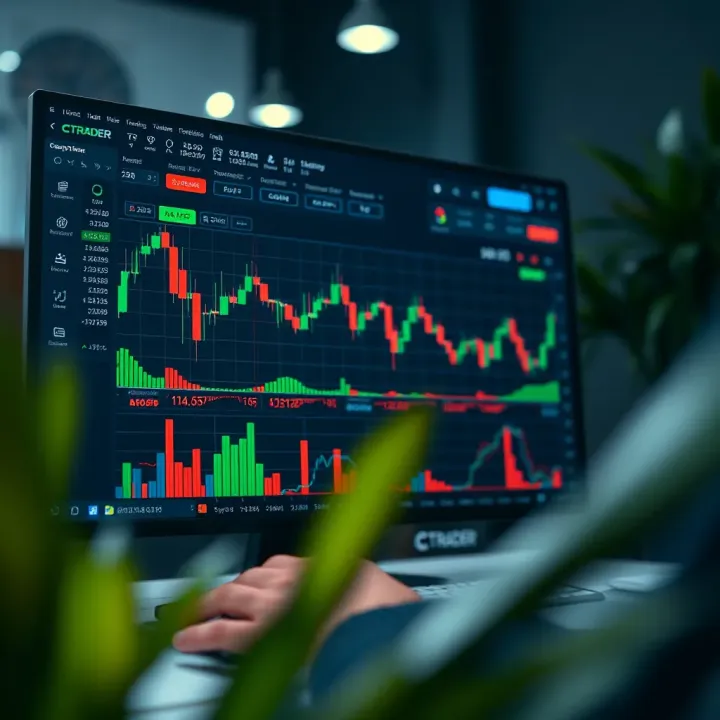
Aside from system needs, it’s helpful to know which brokers in India provide access to cTrader. Some well-known names allow integration with cTrader, giving traders options across forex pairs, metals, and indices. Opening a trading account is usually straightforward with KYC documents like Aadhaar and PAN card.
Before you dive in, understand that cTrader is designed primarily for active traders who want detailed insights and quick order placements. It may feel overwhelming at first, but the learning curve is manageable if you start with the basics and explore its tools step by step.
In this guide, we will walk through the download and installation process, discuss setup essentials for Indian traders, and highlight features that can give you an edge. Along the way, you’ll also find tips to avoid common hurdles and how cTrader stacks up against popular alternatives like MetaTrader 4 or 5.
With a clear, hands-on approach, this guide aims to get you comfortable using cTrader — so you can focus on trading smartly rather than wrestling with software.
Knowing why cTrader stands out helps you decide if it suits your trading style and goals. The platform offers features tailored to modern traders who want flexibility and power without unnecessary complexity. Understanding these benefits lets you use cTrader more effectively and avoid headaches down the line.
cTrader is a trading platform designed mainly for forex and CFD (contracts for difference) trading. It provides direct market access through ECN (Electronic Communication Network), which means traders get prices directly from market makers or liquidity providers without dealing desk interference. This setup allows for better transparency and typically tighter spreads.
Unlike some platforms that try to serve every trader, cTrader focuses on clarity and speed. It's used by forex brokers worldwide but appeals particularly to those who want an advanced yet accessible trading interface.
Regarding its audience, cTrader attracts both beginner and experienced traders. Freshers appreciate its intuitive design, which helps them place trades without feeling overwhelmed. Meanwhile, professional traders benefit from features like algorithmic trading, multiple order types, and advanced chart analysis, making it suitable for those who want detailed control.
One clear advantage is cTrader’s clean and logical layout. The dashboard feels less cluttered than many competing platforms, so you can focus on important data without distractions. For instance, placing an order involves just a few clicks, and changing stop-loss or take-profit levels is straightforward. This simplicity saves time and reduces errors during fast-moving markets.
cTrader offers a variety of chart types and plenty of technical indicators, including RSI, Bollinger Bands, and MACD. The charts are interactive; you can draw trend lines, Fibonacci retracements, and other annotations directly. Such tools are vital for traders analysing price movements thoroughly before entering or exiting positions.
Also, the platform supports multiple timeframes and split screens, letting you monitor several assets or markets at once. This flexibility is especially useful for day traders or those juggling forex with commodities or indices.
Execution matters a lot in trading, and cTrader delivers swift order processing, which reduces slippage—the difference between expected and actual trade prices. Faster execution can impact profitability, especially for scalpers who open and close trades quickly.
Besides speed, cTrader runs on stable servers with minimal downtime. For Indian traders, this means less hassle during critical market hours and smoother trading sessions. Many brokers supporting cTrader also offer reliable backups and customer support, reinforcing overall trustworthiness.
Overall, understanding what cTrader offers and who it is designed for ensures you pick the right tool for your trading journey. From ease of use to professional-grade features, cTrader balances these well, making it an appealing choice for diverse traders across India and beyond.
Before you download cTrader, it’s essential to understand what your system needs to run the platform smoothly. This stage helps avoid surprises like slow performance, crashes, or compatibility issues, especially since trading demands quick reactions and real-time data. By knowing your device’s capabilities and choosing the right platform version, you save time and ensure a hassle-free trading experience.
cTrader supports major operating systems, including Windows, macOS, Android, and iOS. Desktop users typically prefer Windows 7 and above or macOS 10.12 and later versions. If you’re an Indian trader using a Windows laptop bought recently, chances are your OS is compatible. For mobile users, Android 5.0+ and iOS 11.0+ versions are needed to run the app without issues. Knowing this early stops you from downloading software your device cannot handle.
For the best experience, cTrader works well on a system with at least 4GB RAM, a dual-core processor, and stable internet connectivity. In India, many traders use mid-range laptops with Intel i3 or Ryzen 3 processors, which generally meet these specs. If you want multiple charts open or handle heavy analysis, 8GB RAM or more and a faster processor help avoid lag. Also, an internet speed of 2 Mbps or higher keeps your trades fast and data updates steady.
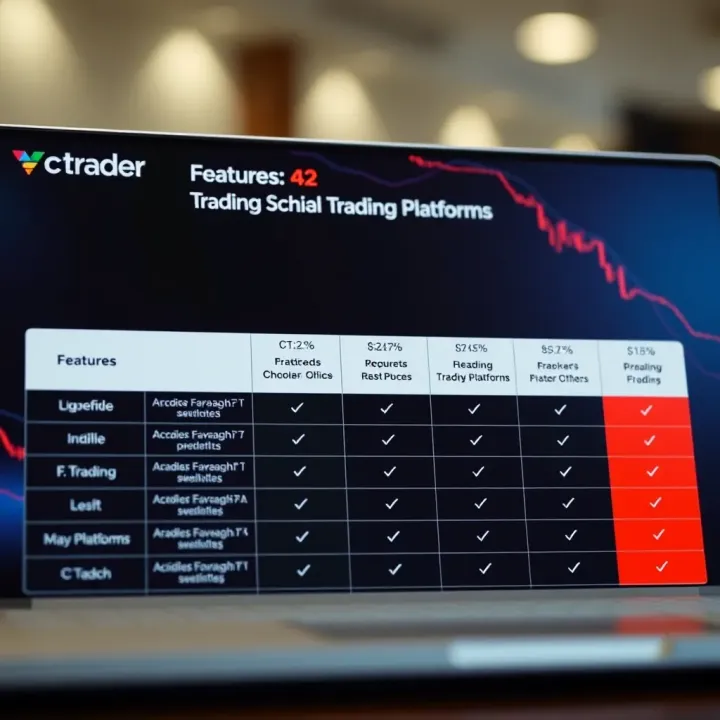
The desktop version of cTrader packs the fullest features, including advanced charting and customised automation options. It suits traders who prefer working on a dedicated machine, such as those dealing with high volumes or multi-tasking on several screens. Meanwhile, the web platform offers flexibility—you can trade from any computer without installation. Indian day traders often use the web app when travelling or working from internet cafes because it loads quickly and avoids storage concerns.
Mobile trading apps allow beginners and seasoned traders alike to stay connected on the move. cTrader’s apps for Android and iOS offer most core features like order placement, charting, and alerts, making them handy during busy Indian market hours. For example, if you get a price alert while commuting, you can instantly act using the mobile app. However, for deep technical analysis, the desktop app still holds an edge. Choosing between these depends on your trading style and accessibility needs.
Preparing your system and selecting the right cTrader version based on your needs and device ensures you’re always ready to trade smoothly, without unexpected interruptions.
This preparation helps you avoid issues down the line and get the most from cTrader, whether you use it for forex, commodities, or indices trading in India.
Downloading and installing cTrader smoothly is vital for starting your trading activity without hassles. This section covers the exact steps you need to follow, ensuring you get the genuine platform securely on your device. It also prepares you for common bumps during installation and quick fixes, saving you time and unnecessary frustration.
The first step is visiting the official cTrader website to download the platform. This ensures you get the latest, genuine version without malware risks. For traders in India, securing a safe download is especially important as unofficial downloads often carry security threats or outdated files. Using the official site also guarantees access to all features and support from your broker.
Always check the website’s URL carefully and avoid links from unknown emails or third-party sites. Verify the security certificate (the padlock sign near the address bar) to confirm the site's authenticity. Using a reliable antivirus and firewall adds another layer of protection. You should download only files compatible with your device and avoid downloads on public or unsecured Wi-Fi.
Once downloaded, open the installer file to start the setup. On Windows, this usually means double-clicking the .exe file; on a Mac, it’s a .dmg package. Follow on-screen prompts, which are straightforward—generally just accepting licence agreements and choosing an install location. It’s best to close other apps during installation to avoid conflicts.
Some users face errors like "installation failed" due to antivirus interference or insufficient permissions. Temporarily disabling antivirus software or running the installer as an administrator often solves this. You may also need to check if your system meets minimum specs—older machines might struggle with the latest versions. If issues persist, visiting the cTrader support centre or your broker’s helpdesk can provide quick resolution.
For trading on the move, cTrader offers mobile apps available on Google Play Store and Apple App Store. Search for "cTrader" directly to avoid fake apps. Downloading from official app stores ensures updates and security patches reach you promptly, keeping your trading experience safe and smooth.
After installation, open the app and input your trading credentials or create a new account if you don’t have one. Setting up security features, like two-factor authentication, is recommended to protect your account. You can customise notifications and chart views based on your trading preferences. These quick settings help you start trading effectively on your mobile device.
Installing cTrader properly and securely sets the foundation for a seamless trading experience. Skipping any step or using unofficial sources can lead to bigger problems later.
By following this guide, you'll avoid common pitfalls while getting your trading setup ready fast, whether on a desktop or mobile platform.
Once you've installed cTrader, the next step is to set up your trading environment properly. This section guides you through creating a trading account, linking your broker, and familiarising yourself with the basic trading features. Doing these right helps you trade smoothly without hiccups.
Account types available
cTrader offers various account types to suit different traders: demo accounts, standard live accounts, and ECN (Electronic Communication Network) accounts. For instance, demo accounts let you practise with virtual funds, which is great for beginners testing strategies without risk. Standard live accounts typically come with fixed spreads, ideal for casual traders. ECN accounts provide direct market access with variable spreads and faster executions, favoured by professionals or high-frequency traders.
Choosing the right account depends on your trading style and risk tolerance. Say you are new and want to get comfortable — the demo account is the starting point. If you prefer lower transaction costs and faster trade executions, ECN accounts might be your choice once you gain confidence.
Verification and compliance for Indian traders
Indian regulations require traders to complete KYC (Know Your Customer) verification before activating live trading accounts. This involves submitting documents like PAN card, Aadhaar, and proof of address. Brokers linked to cTrader must comply with Reserve Bank of India (RBI) and Securities and Exchange Board of India (SEBI) norms to ensure security and transparency.
Timely verification avoids delays in withdrawals or trade settlements. Also, compliance keeps your trading activities legitimate in India’s regulatory framework, so make sure to scan and upload clear documents during signup.
Popular brokers supporting cTrader in India
Several brokers in India provide cTrader access, including IC Markets, Pepperstone, and FxPro. These brokers are known for reliable spreads, fast execution, and support for INR deposits or withdrawals. Pick a broker that matches your preferences on fees, customer support, and ease of fund transfer.
For example, IC Markets allows Indian traders to use UPI or NEFT for deposits, which is convenient and quick. Choosing the right broker can affect your experience with cTrader significantly.
Account management tips
After linking your broker, maintain clear records of your login credentials, account balance, and trade history within cTrader. Use the platform’s built-in tools to monitor margin levels, close or modify orders, and keep track of open positions.
Regularly review your account performance and update password security. Remember, it’s safer to log out after each session to protect your funds, especially if using shared or public computers.
Placing orders and managing trades
cTrader offers various order types like market, limit, stop, and trailing stop orders. Understanding these is key for precise trade execution. For example, limit orders let you buy or sell at a targeted price, avoiding surprises in volatile markets.
Managing trades is straightforward — you can modify existing orders or close positions quickly from the trade tab. The intuitive interface helps you keep control even when markets move fast.
Using charts and technical indicators
cTrader’s advanced charting tools let you apply multiple technical indicators such as Moving Averages, RSI (Relative Strength Index), and Bollinger Bands. These help identify market trends and potential entry/exit points.
Traders can customise chart layouts, use candlestick patterns, and add drawing tools for better analysis. For example, setting up a combination of MACD (Moving Average Convergence Divergence) and volume indicators can improve the accuracy of trade decisions in forex or commodity markets.
Getting comfortable with these basic features in cTrader will help you trade confidently and spot opportunities efficiently. Regular practice after setting up your account and linking brokers ensures you are ready for real market conditions.
When choosing a trading platform, especially in India’s growing market, comparing cTrader with other popular platforms is essential. This helps traders understand which tools best fit their style, needs, and the brokers they plan to use. Platforms differ in interface design, customisation options, broker support, and costs, which directly impact trading efficiency and user experience.
One key difference lies in the interface. cTrader offers a modern, desktop-class feel even on its web and mobile apps, with clean layouts and intuitive navigation. This appeals particularly to traders who prefer visual clarity and quick access to features. Meanwhile, MetaTrader 4 (MT4) and MetaTrader 5 (MT5) have a more traditional look that many Indian traders find familiar. MT4's simplicity suits beginners, but MT5 tries to add more complexity with multiple asset classes.
In practice, cTrader’s interface regularly wins praise for allowing smooth switching between charts and trading panels without clutter. That said, users accustomed to MT platforms may need some adjustment time. The usability mainly affects how quickly you execute trades or spot market trends, making this a crucial comparison point.
When it comes to trading tools, cTrader includes advanced charting with multiple timeframes and a rich set of indicators by default. It also comes with a built-in algorithmic trading feature called cAlgo, which caters well to Indian algo traders and those interested in automated systems. Both MT4 and MT5 also support algorithmic trading but require users to use MetaQuotes Language (MQL), which has a steeper learning curve.
Customization in cTrader is straightforward; you can save workspace templates and personalise chart views easily. On MT platforms, custom indicators usually come from third-party developers with installation steps, adding complexity. For traders keen on tweaking their setups or running custom bots, cTrader tends to offer a more user-friendly environment.
Indian brokers often offer their own platforms designed to suit regulatory and local market needs. These native platforms provide strong integration with Indian clearing systems and payment gateways, which can enhance transaction speed and reliability. However, not all these broker platforms offer the advanced tools found in cTrader.
cTrader’s advantage lies in its compatibility with several Indian brokers who support the platform, enabling access to international markets from familiar Indian regulatory frameworks. Traders can benefit from the professional-grade tools of cTrader while still operating within trusted broker environments. It's important to check which brokers offer cTrader and the quality of customer support they provide.
Transaction costs vary between platforms largely because of broker partnerships. Indian native platforms may offer competitive brokerage fees or zero commissions on certain products, especially for intraday or delivery trading on stocks. But these platforms might not support forex or commodity trading as broadly.
cTrader, used with international brokers accessible in India, might involve higher spreads or different fee structures, especially for forex and CFD trading. Traders should compare costs like spread, commissions, and overnight fees alongside platform features. Sometimes paying a slightly higher fee on cTrader can be worthwhile given superior execution speeds and tools.
Choosing between cTrader, MetaTrader, or native Indian platforms depends on your trading style, instruments, and priorities for customisation and costs. Testing platforms with demo accounts before committing real funds is a smart approach for any serious trader.
Learn how to use Quotex on PC 💻 with step-by-step instructions for installation, features, and smooth trading experience in India 🇮🇳.

📈 Discover Exness trading hours tailored for Indian traders 🇮🇳. Learn about IST conversion, market open-close timings, and tips to time your trades effectively.
Master the BNF trading strategy 📈 for Indian markets with practical tips on instruments, risk management, and challenges. Ideal for beginners and experienced traders alike.

Learn how to safely withdraw real cash in India 💵. Discover fees, limits, and tips for managing physical money with confidence and ease.
Based on 13 reviews